


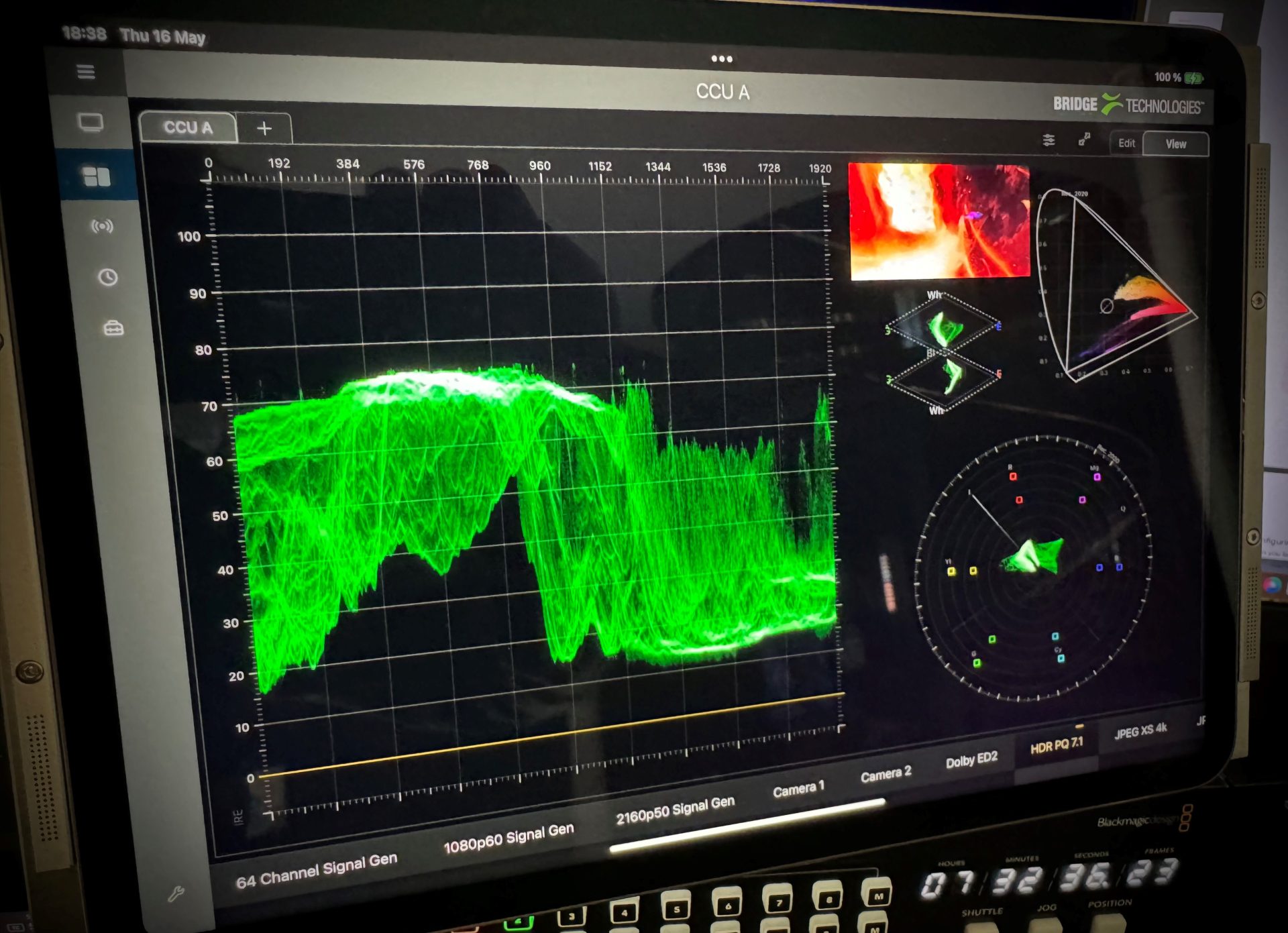
Bridge Technologies has released a new Canvas interface to organise and interact with the extensive functionalities of the VB440 IP-based production probe. Canvas, which is now available to all VB440 customers, allows users to completely customise their workspace, combining video and audio previews with a vast range of graphs and visualisations in order to provide production even quicker and easier access to the tools that underpin their roles.
The VB440 gathers network data in an IP production environment, and converts this to usable, intuitive information that can inform almost every part of the production process. Most importantly, it makes this available with next-to-no-latency, using only an HTML5 web browser.
Allowing up to eight users simultaneous access to the VB440’s extensive set of features, a host of production professionals can use the features of the VB440 to guide their work, simultaneously, live, and from anywhere in the world.
Previously, the various aspects of the VB440 were broken down into tabs, according to the role and function being performed. Users could click-through to access elements including (but not limited to) Gonion, LUFS and room meters for audio; high dynamic range (HDR)-on-standard dynamic range (SDR)-screen previews, colorimetry with CIE, vectorscopes and waveforms for video (which now includes both YRGB parade and overlay view), and an extensive range of modifiers that allow users to save their selected scopes together with their own designs.
With Canvas, users are instead given a single screen option in which they are able to fully customise what is displayed to them, adding as many scopes, meters and displays to the page as they desire, re-sizing, and arranging in a way that makes most sense for the user’s specific workflow.
They can also group together video previews and associated scopes to correspond with one channel input (using colour coded markers) and set these to either lock to a specific channel, or automatically change with the channel selected.
Visualisations can be easily stacked separately, or imposed as overlays on the video preview, with adjustable transparency, scale, and grid-line density.